
In the digital world, every single person who has a business website. But they don’t know how to optimize a website. How important it is that they don’t know. If it’s doing perfectly, you grow your business; if it’s not, you fail. Now, the point of Website optimization is more than just making a site fast.It’s about creating a smooth user experience, ranking higher on search engines, and helping visitors take action. Whether you’re managing a business website or a personal project, focusing on speed, UX, and SEO is essential to improve visibility and conversions. Jack, who is a specialist in UX & SEO ranking websites, with over 13+ years of experience in a reputation support company. I am writing the top 10 practical strategies, along with recommended tools you can start using today. I hope these suggestions help you to grow website optimization. If you don’t understand my strategy, feel free to knock me for a solution. I am always available to give solutions and service! Your business needs to hire an expert service, like Reputation Supports, to manage your digital lifeline.
Key Takeaways
- The best performance, UX, and SEO optimizations require constant, expert attention not just a one-time fix.
- Optimization is often far more cost-effective than managing an in-house team member or waiting for a major security breach to occur.
- Delegating maintenance frees up your internal resources to focus entirely on growth, product development, and customer service.
- Website maintenance is no longer just about updates; it requires specialized knowledge in security, SEO, and complex system troubleshooting that often exceeds the capacity of a generalist employee.
Website Optimization 10 Critical Strategies: Speed, UX, and SEO
Achieving top performance is a constant process that directly impacts your traffic (SEO) and conversions (UX). Here are the 10 most critical, ongoing strategies your site needs, and why they require expert maintenance.
Speed & Performance Strategies (The Foundation)
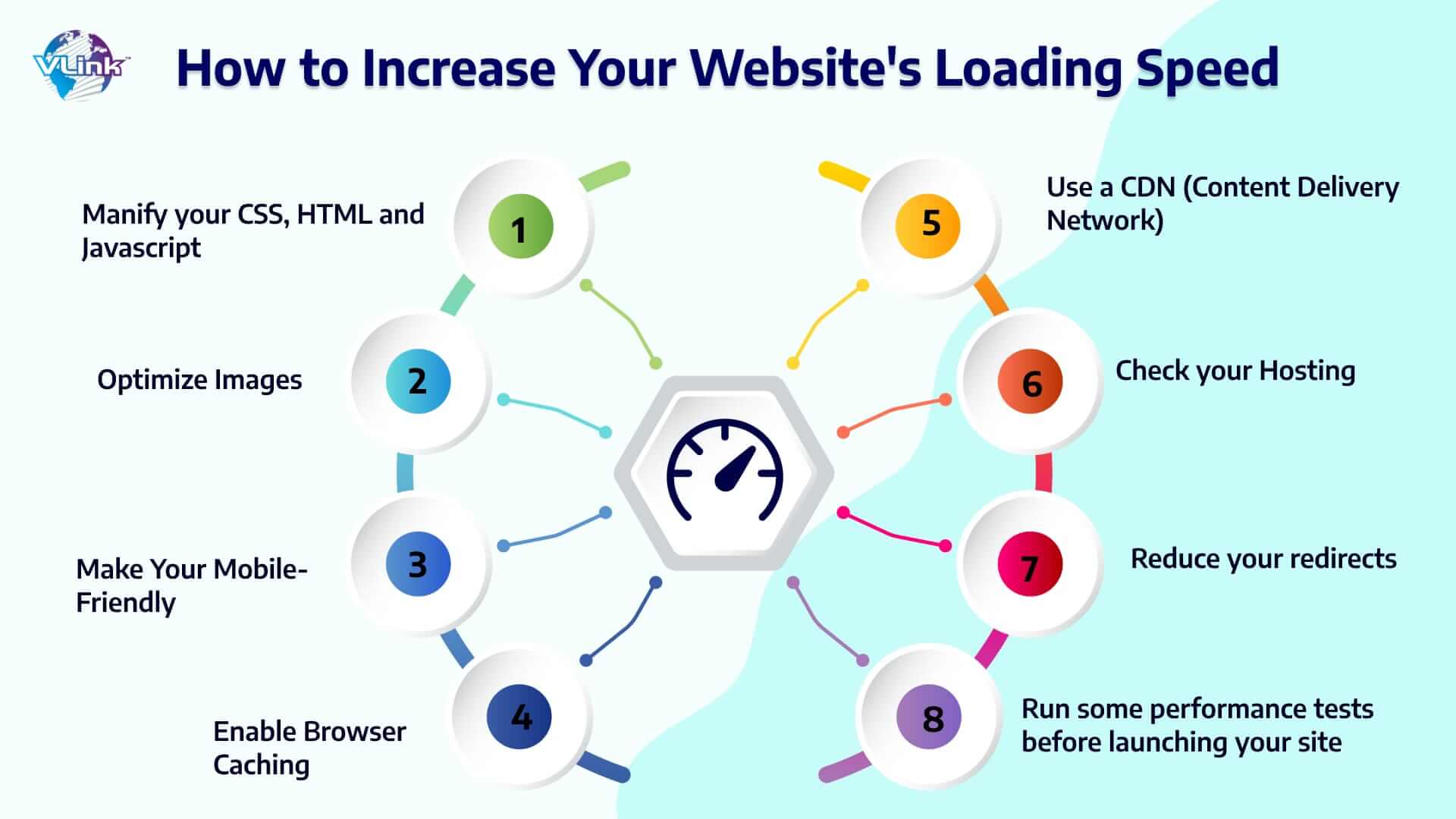
- Image Optimization & Next-Gen Formats: Using properly compressed images and formats like WebP significantly reduces page load time.
- Advanced Caching Implementation: Setting up sophisticated server and browser caching rules to ensure returning visitors load your page nearly instantly.
- Minify CSS, HTML, and JavaScript: Removing unnecessary characters and code to shrink file sizes, allowing browsers to render pages faster.
- Database and Code Cleanup: Regularly cleaning up database bloat, unused plugins, and outdated code to keep your server running at peak efficiency.
- Mobile-First Responsiveness Check: Continuously testing and refining how your content, forms, and buttons display and function perfectly on every mobile device.
- Fixing Broken Links & Redirects: Immediately identifying and correcting internal and external 404 errors that frustrate users and hurt your SEO authority.
- Sustained Uptime Monitoring: 24/7 monitoring to ensure your site is always available to potential customers. Downtime is a guaranteed loss of sales.
- Proactive Security & HTTPS Implementation: Ensuring all software is updated and maintaining a valid SSL certificate (HTTPS) is a mandatory Google ranking factor.
- Core Web Vitals Improvement: Expertly managing metrics like Largest Contentful Paint (LCP) and Cumulative Layout Shift (CLS) to satisfy Google’s strict standards for page experience.
- Regular Technical Audits: Monthly scans for critical SEO errors, sitemap issues, and crawl errors that prevent search engines from properly indexing your valuable content.
The Hidden Tool of DIY Website Maintenance
I know many businesses start with DIY maintenance, thinking it will save money. They quickly discover that the ‘hidden costs’ of time, risk, and missed opportunities often far outweigh the savings. But it’s wrong!

Neglected websites don’t just slow down; they actively hurt your business reputation and revenue:
- SEO Decay: Search engines like Google prioritize secure, fast, and frequently updated websites. A slow, vulnerable site will inevitably see its rankings drop, leading to less organic traffic.
- Brand Damage: If your site is hacked and serves malware or is visibly broken, your professional image is instantly damaged, leading to a loss of trust from potential clients.
The cost to recover a hacked, broken, or malware-infected website can range from hundreds to thousands of dollars, often costing far more than a year of preventative, expert maintenance.
The Tipping Point: 5 Signs It’s Time to Outsource
How do you know the precise moment to switch from internal management to an outsourced website maintenance service? Look for these five critical tipping points or contact me now!
- You Are Missing Monthly Updates: If you or your team frequently delay software, plugin, or theme updates, you are introducing unacceptable security risk.
- Your Site Speed is a Problem (Load times > 3 seconds): If you’ve run a tool like Google PageSpeed Insights and see low scores, but lack the technical expertise for advanced caching, server response time, or CSS optimization, you need an expert.
- You Are Concerned About Security: The risk of a data breach is too high to ignore. A maintenance partner specializing in security provides the necessary peace of mind.
- Your Team is Overloaded: Your high-value employees should be focusing on revenue-generating tasks like sales and product development, not troubleshooting broken forms.
- You Need Complex Technical Support (SSL, Database, etc.): When an issue requires command-line access or database manipulation, and your team is Googling the solution for hours, that is wasted time and a sign that the problem is beyond your internal capacity.
Why Choose Reputation Supports for Services
At Reputation Supports, Jack views website maintenance as a critical part of protecting and enhancing your overall digital reputation. Our approach goes beyond simple updates; we offer a balanced, proactive strategy designed for long-term stability and growth.
We are the dedicated solution for implementing and sustaining the 10 critical optimizations, offering:
- Security-First Maintenance: Implementing advanced security measures to lock down your site, minimizing the risk of reputational damage from breaches.
- Performance Optimization for SEO: Fine-tuning your site’s speed and structure to boost its search engine authority and visitor satisfaction
- Dedicated Support: Providing a reliable point of contact for complex technical issues, freeing your team to focus on business objectives.
By partnering with us, you are not just buying updates you are investing in a solid, reputable, and high-performing digital platform that attracts traffic and drives sales.
Summary
In short, outsourcing website maintenance is not just about fixing things it’s about keeping your site fast, secure, and professional all the time. Instead of spending hours doing updates, backups, and technical checks yourself, you let an expert handle everything, so your website keeps performing even when you’re not working on it.
If you want, I also provide a complete website maintenance service including security monitoring, speed optimization, SEO improvements, regular backups, and monthly health reports so your website stays updated and problem-free 24/7.
Ready to Turn Your Website from a Burden into a Reliable Asset?
Stop wasting valuable internal resources on routine and complex maintenance. Reputation Supports provides the expert, high-quality maintenance you need to protect your online reputation and drive consistent business growth.
Start your business today with Reputation Supports. Contact us at info@reputationsupports.com or call +1 213-548-0690. Our team of experienced developers and marketers is ready to help you succeed.
Ultra-Short FAQs on Outsourcing Maintenance
| Question | Shortest Human Answer |
| Q: Is maintenance really good for SEO? | Essential! Maintenance ensures the speed, security, and performance that Google directly rewards with higher search rankings and traffic. |
| Q: Why is a hack so expensive to fix? | It’s reactive, emergency work. You pay for immediate forensic investigation, deep cleaning, and damage control far costlier than preventative maintenance. |
| Q: Do I still need a service if my system updates automatically? | Yes. Automation misses theme and plugin conflicts. An expert ensures all parts work together without breaking or introducing security risks. |
| Q: Should my designer handle maintenance too? | Not usually. Designers build; maintenance experts specialize in security, speed, and emergency fixes. Separate the roles for better results. |